A planning panel for you, the ClimbingDad app for your athletes, and billing that runs itself. You set the price. You keep 85%.
Four steps. I do two of them.
Tell me who you coach, where, and how many. It takes five minutes and I read every application myself.
I set up your coach account and send you a one-time sign-in link. Nothing to install, nothing to configure.
Generate an invite code in the panel. Your athlete enters it in the app and you are linked — they keep their own account, always.
Your athlete subscribes at your price. Stripe pays out on whatever schedule you choose, without you sending a single invoice.
Five things, in the order coaches actually need them.
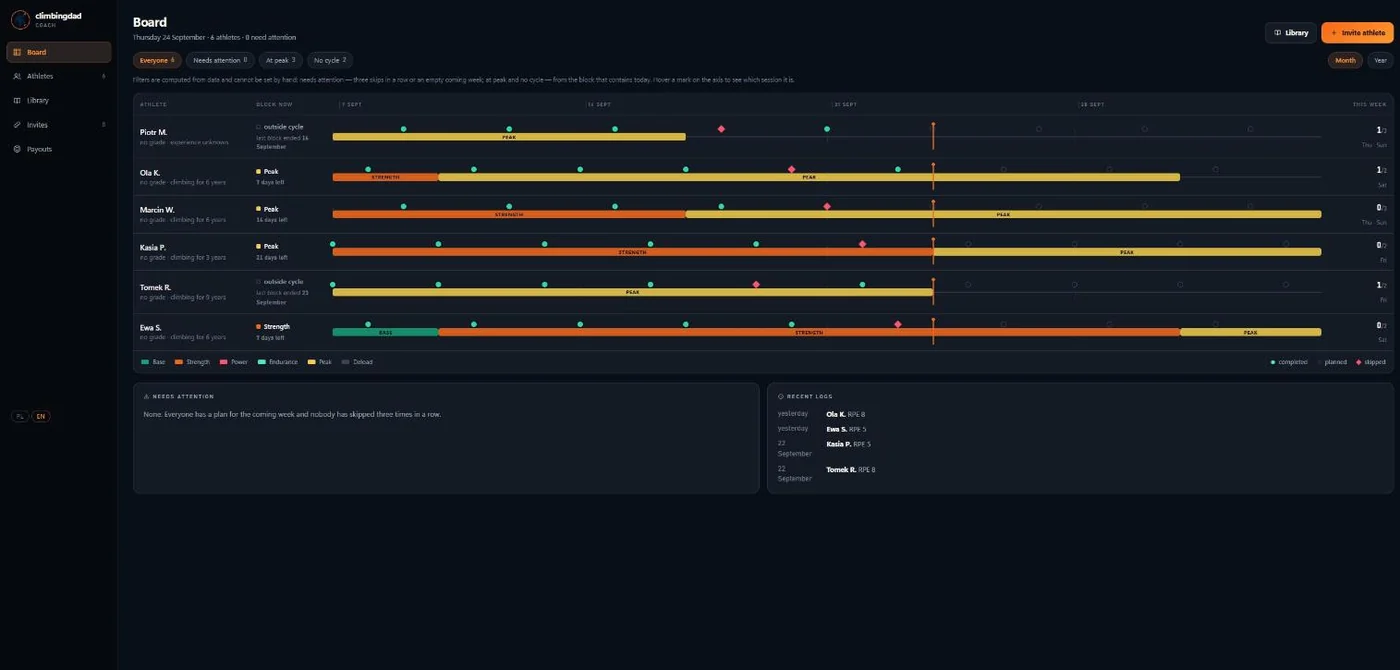
One row per athlete on a single timeline. Coloured bands are mesocycles, marks are sessions — filled if done, outlined if planned, struck through if skipped. A vertical line is today.
Three months back, six weeks forward. You can see who is peaking, who is deloading, and who has not ticked anything in a fortnight — without opening a single profile.
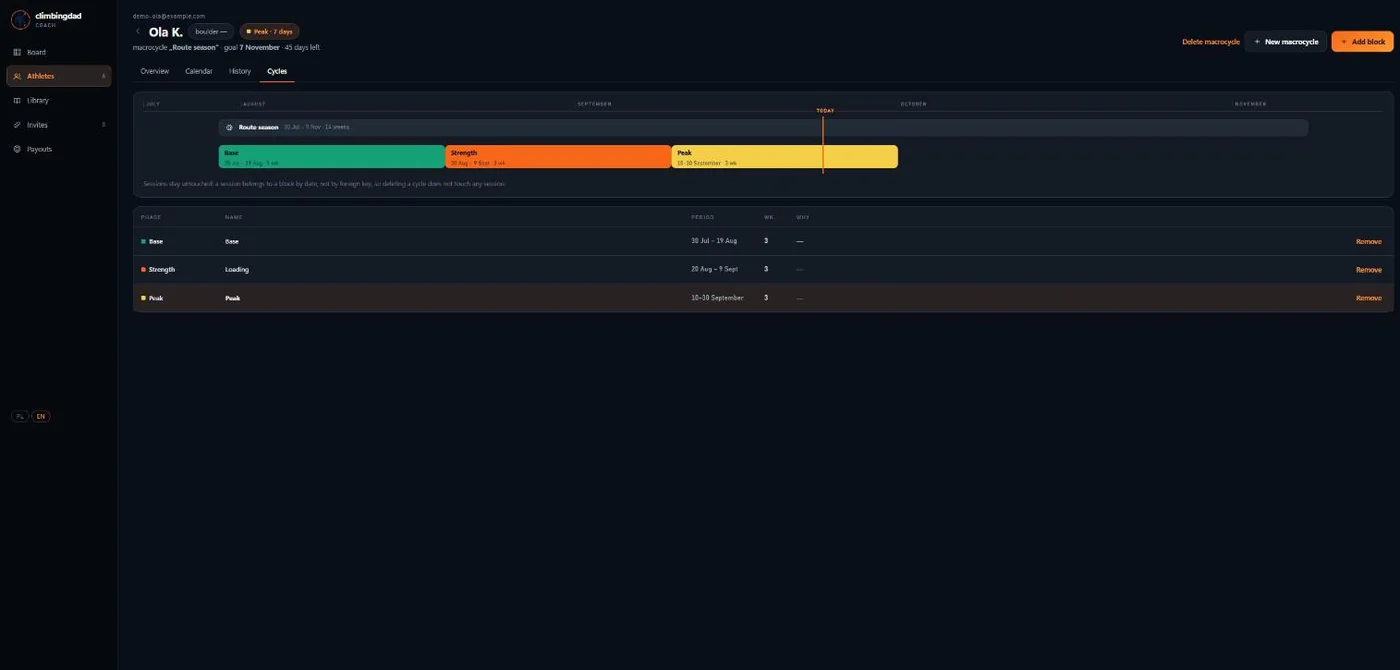
A macrocycle with a goal date, and mesocycles inside it — base, strength, power, endurance, peak, deload. Each block knows its weeks and its phase, and the roster colours itself from them.
Sessions stay untouched when a cycle changes: a session belongs to a block by date, not by foreign key, so deleting a cycle never deletes anyone’s training.
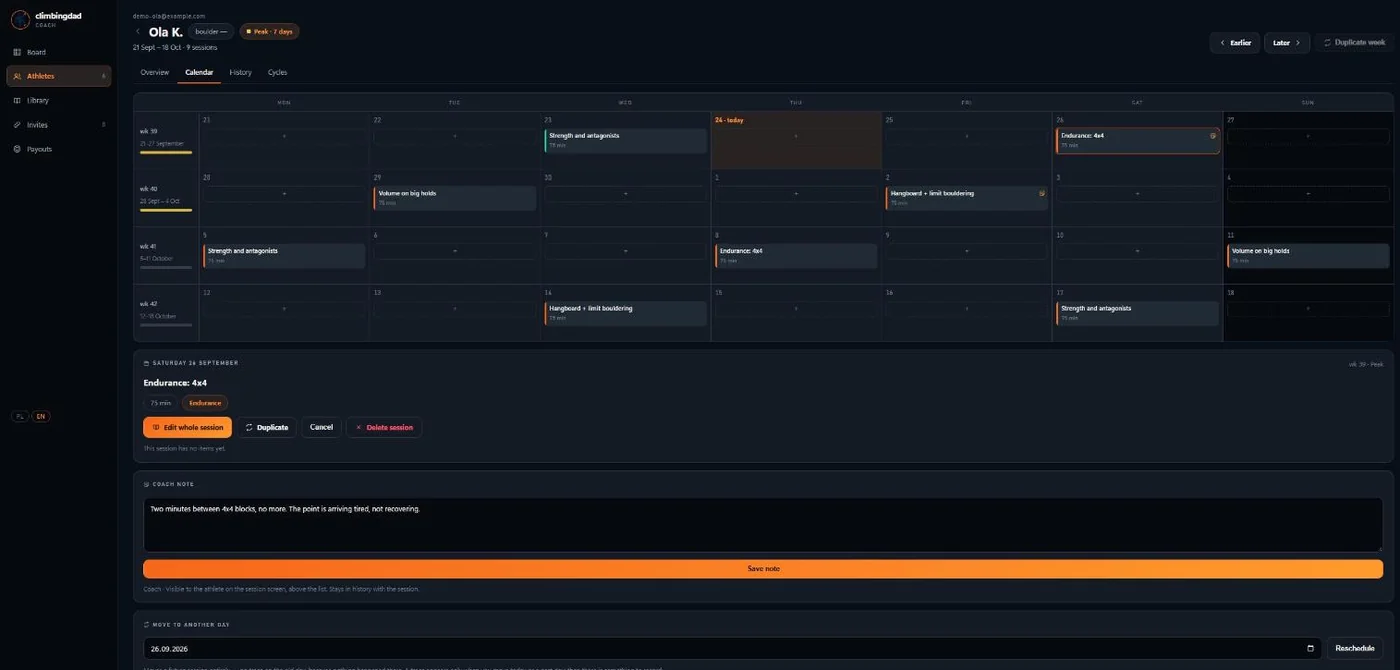
Not a “weekly rhythm” — an actual calendar. Drag a session from one day to another, pull sessions in from your library, and leave a note on the day itself.
Everything you can do by dragging you can also do with a button, so the panel works on a phone on the gym floor.
Full-screen editor: catalog on the left, warm-up, main block and cool-down on the right. Prescription fields match the kind of exercise — a hangboard set does not ask you for a grade.
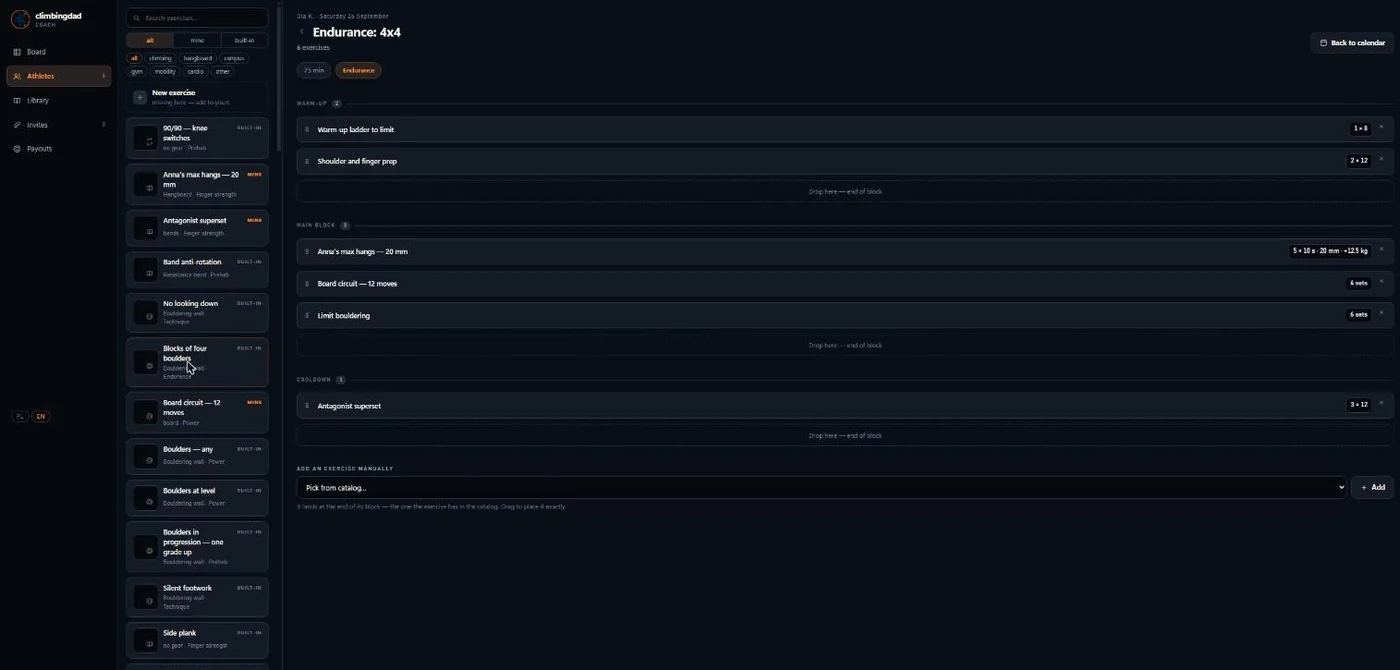
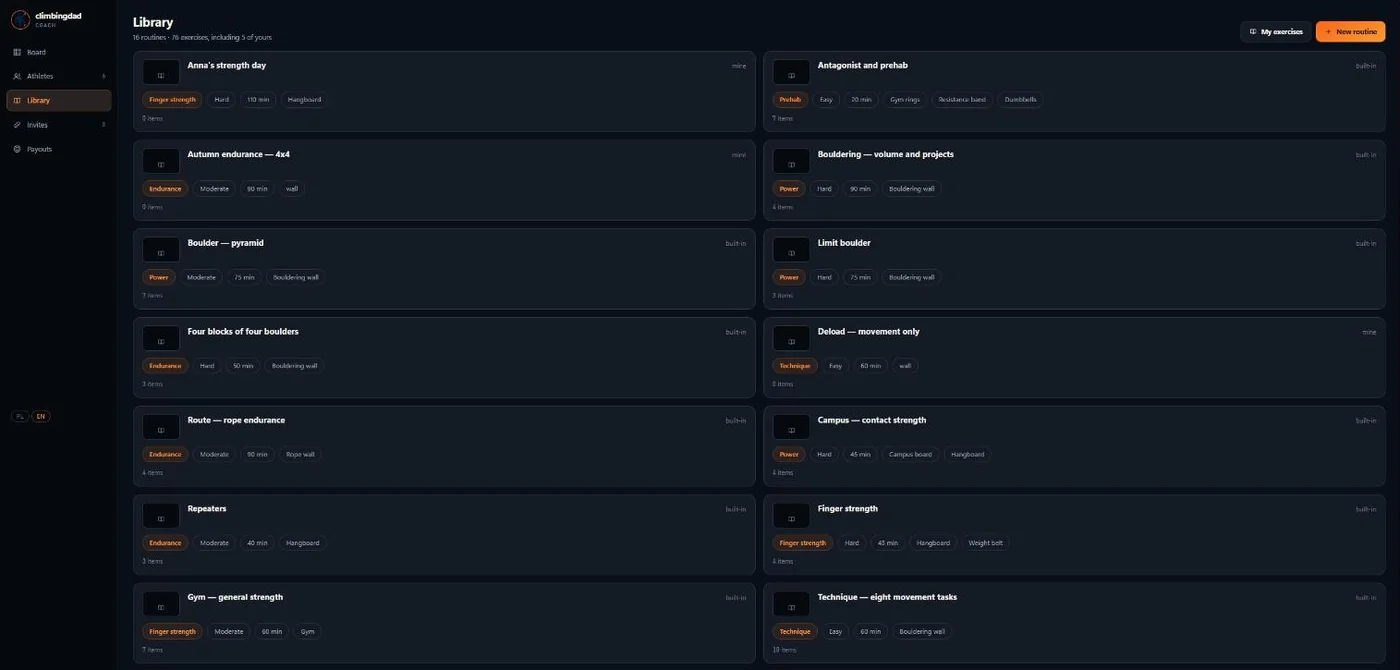
Seventy-one exercises come built in. Copy one and trim it, or write your own from scratch. Your athletes see your catalog. Nobody else does.
A line the panel will not cross
The panel writes plans, sessions and notes. It cannot write down what an athlete actually did — not by accident, not by design, not even for you. That record has exactly one author, and it is the person who was on the wall.
It sounds like a small thing until the first time an athlete asks whether their history is real.
The full ClimbingDad app, included in what they pay you. English and Polish.
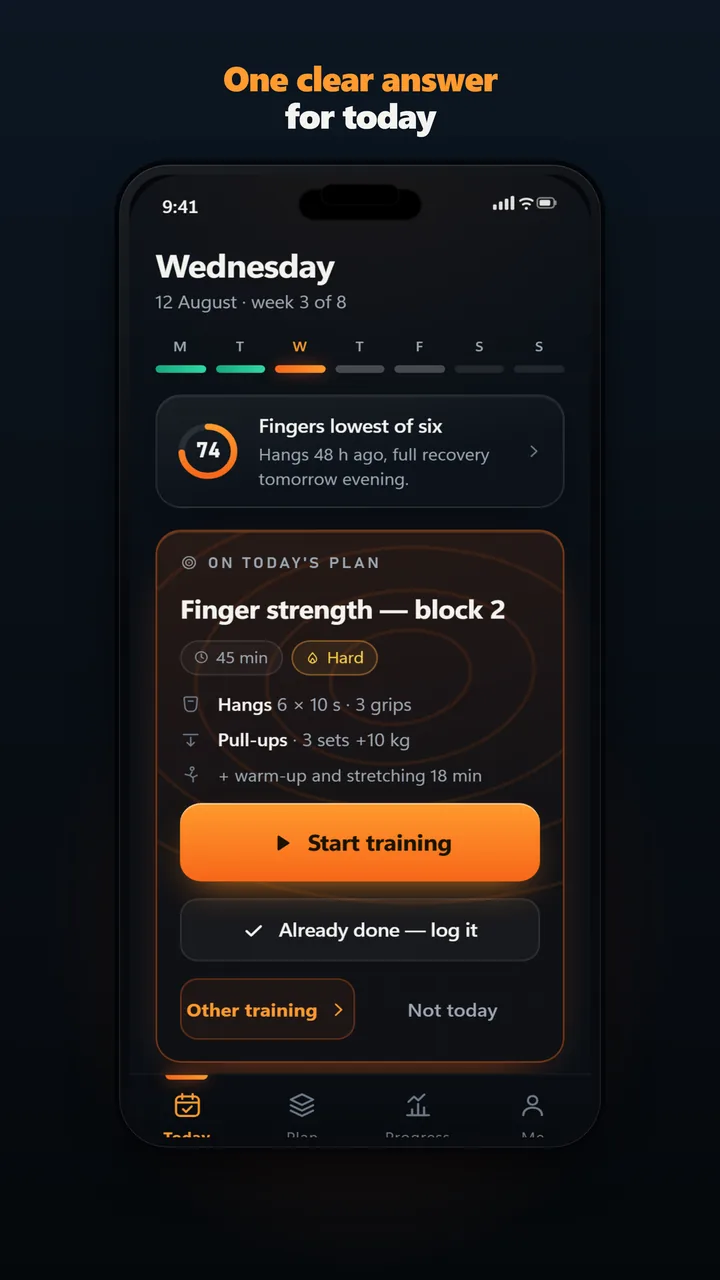
Your plan, waiting for them. One tap to start — no deciding, no scrolling.
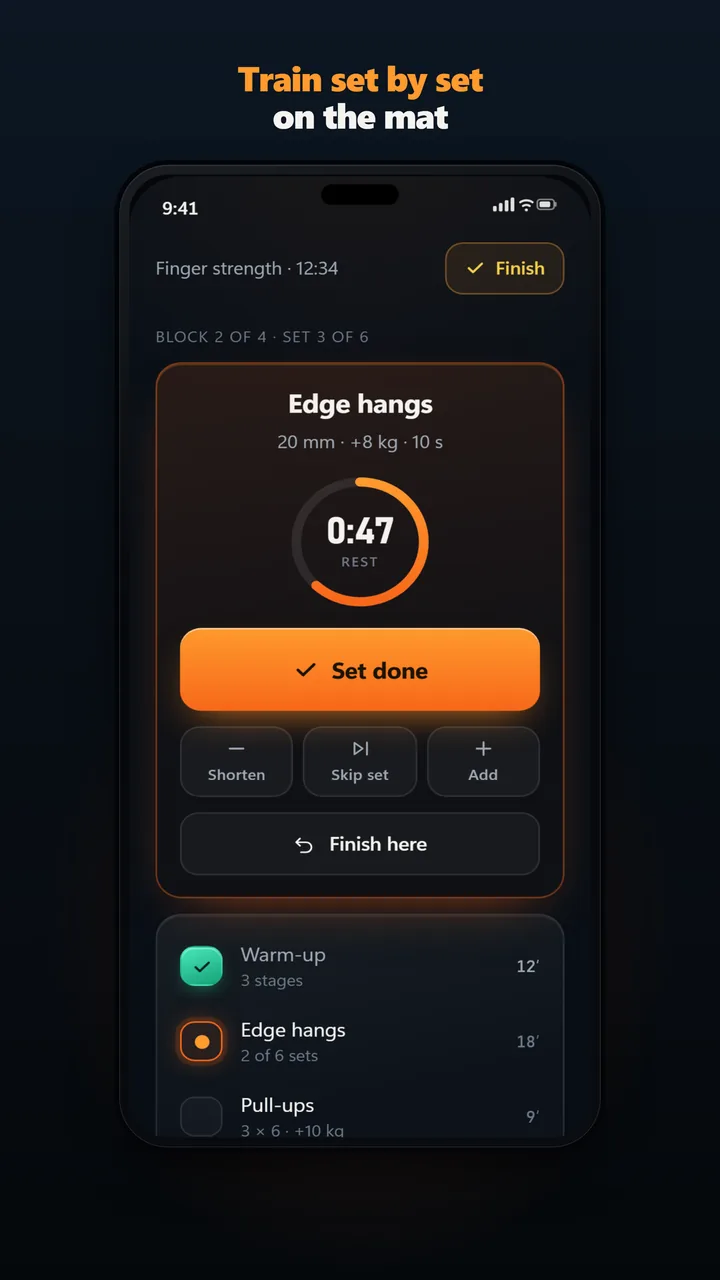
Sets, rest timer, sends and grades logged while they train, offline if the gym has no signal.
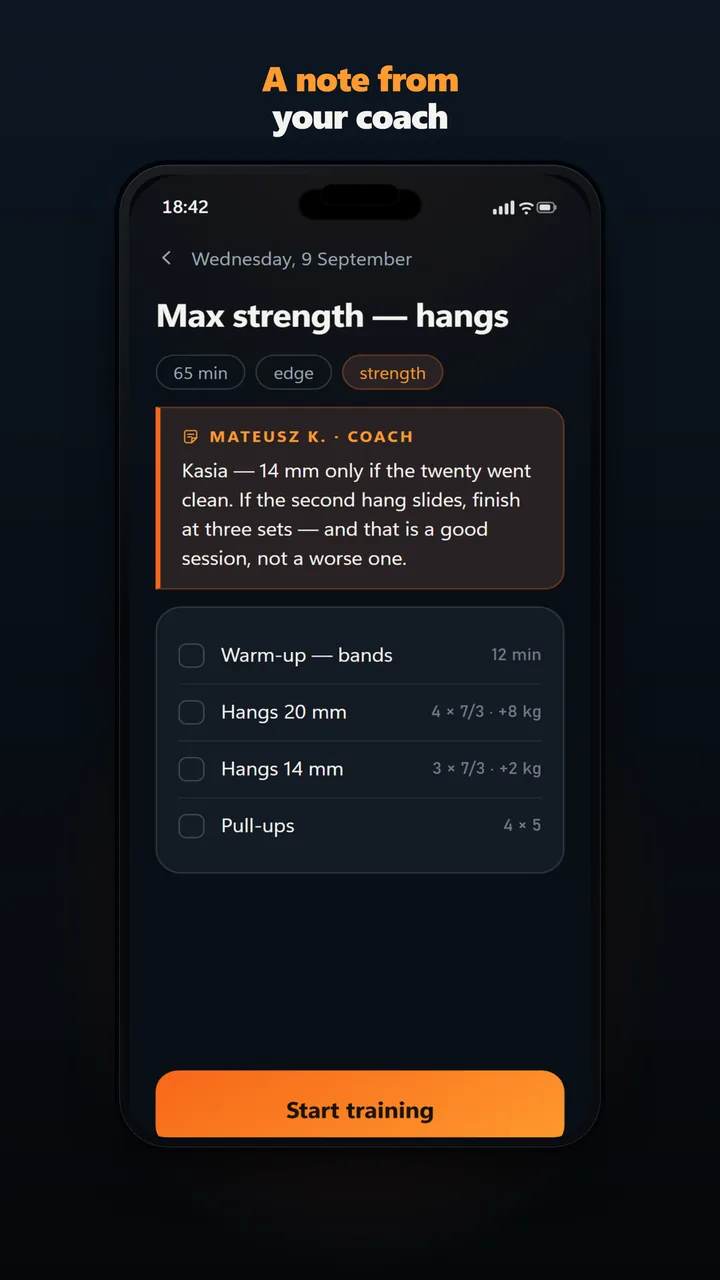
What you wrote about the session appears before they start it — not buried in a chat thread.
One number, and it is not charged to you.
You set the price. You keep 85%.
Payouts run through Stripe. You onboard once with ID and a bank account; after that it is automatic.
Nothing out of pocket. The panel is free while you have at least one paying athlete. ClimbingDad keeps 15% of what your athletes pay you, and payment processing fees come out of that 15% — not out of your share. You keep 85%, net.
You do, per athlete, per month. You know what your coaching is worth better than I do.
Through Stripe. You onboard once with ID and a bank account, and payouts land automatically on a regular schedule. No invoicing anyone, no chasing transfers.
Not always. You need to be able to take payment for coaching legally where you live, and Stripe will verify your identity and a bank account either way. In Poland, small coaching income can fall under unregistered activity up to a monthly cap, and above that you register a business. Say where you stand on the application and I will point you at the right one — but your tax status stays yours. I run a platform, not your accounting.
No. The ClimbingDad app is included in what they pay you. One subscription, one charge.
Yes — that is the point. You generate an invite code in the panel, they enter it in the app, and you are linked. Nobody creates an account on anyone else’s behalf.
The subscription runs to the end of the paid period and then stops. The coaching link ends. Their training history stays theirs — it does not disappear because they left you, and it does not follow you either.
Yes. Both the app and the coach panel ship in English and Polish, and each person picks their own — you can work in Polish while an athlete reads English.
The first cohort is ten coaches and I set up each account personally. I would rather onboard ten coaches properly than a hundred badly.
No. Start with one. If the panel does not save you time, you have lost an evening, not a business.
Send me a note with the six things below and I will come back to you personally. If it is a fit, your panel is ready the same week.
Or write to climbingdad@mateuszkuba.com in your own words — the list is a prompt, not a form.
