Boulder & lead · hangboard · campus
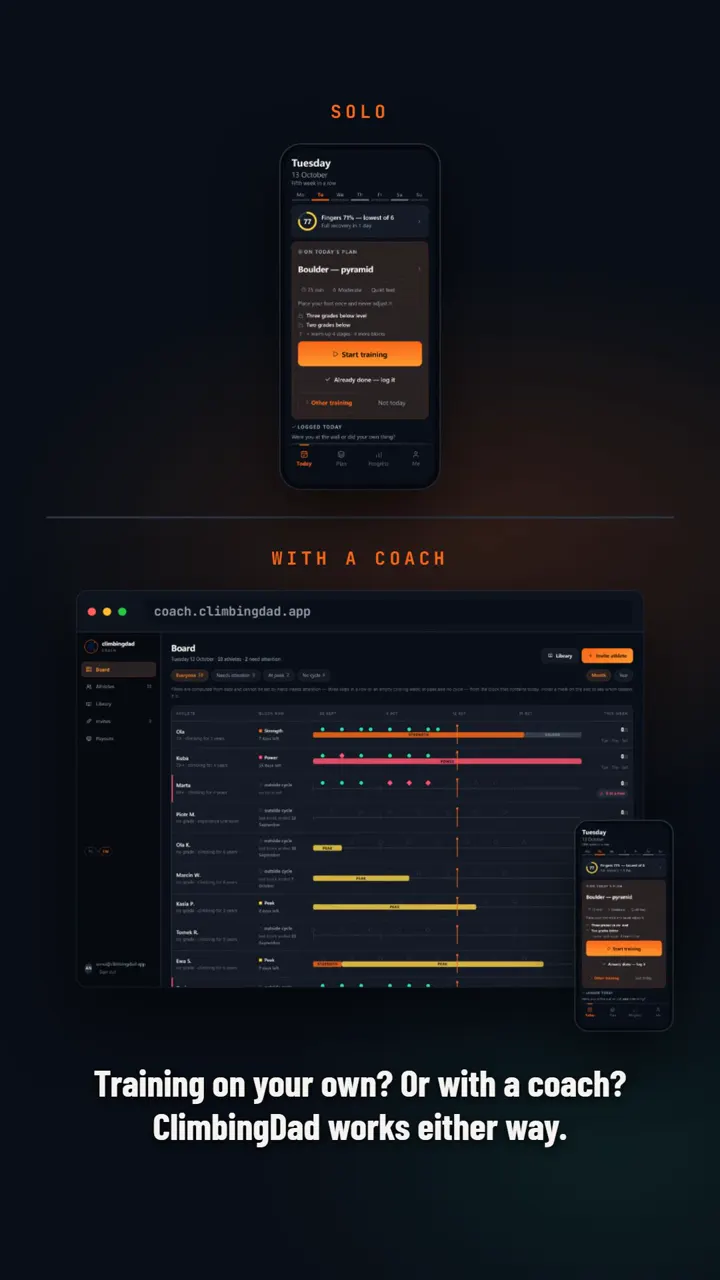
Plan the week yourself, let the app lay it out, or get it from your coach. Each day the home screen shows that day's session.
Works offline. English and Polish.
The app is free. You only pay if you train with a coach, at a price the coach sets.
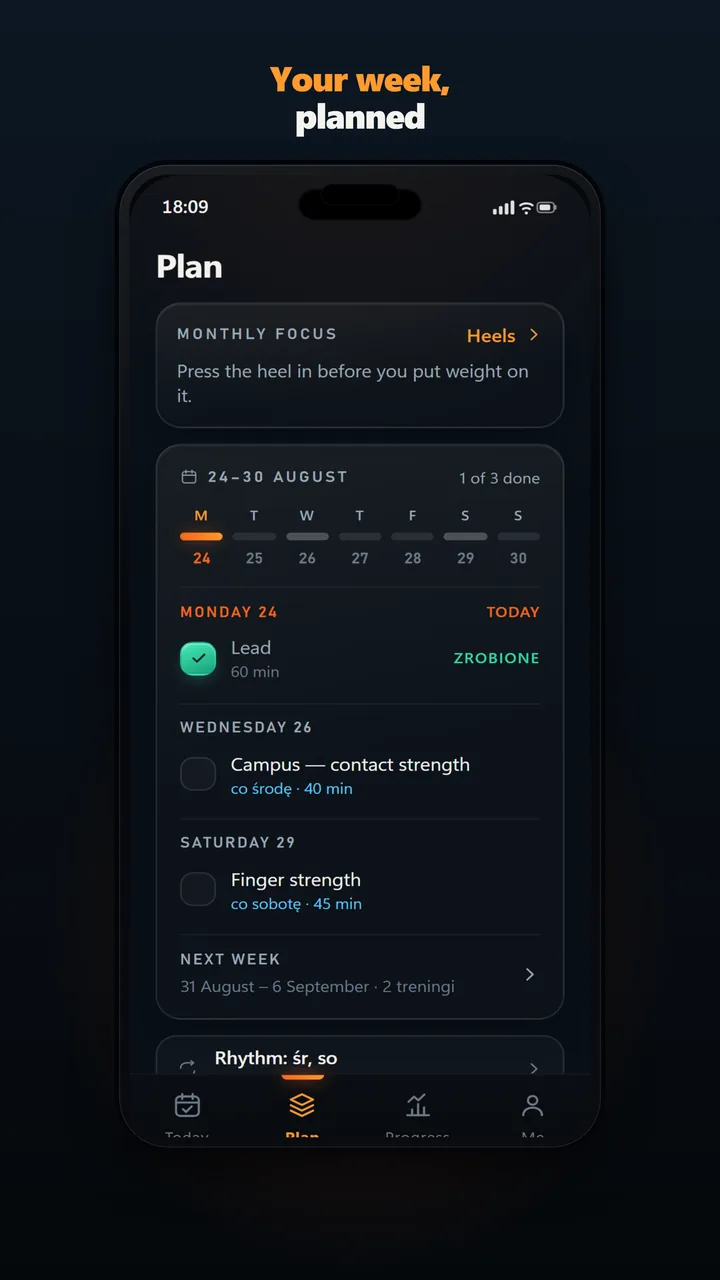
A plan the app builds never puts two finger days back to back. Each day shows the session title and whether it is planned, today, done or partly done. A day with nothing planned says “No plan”.
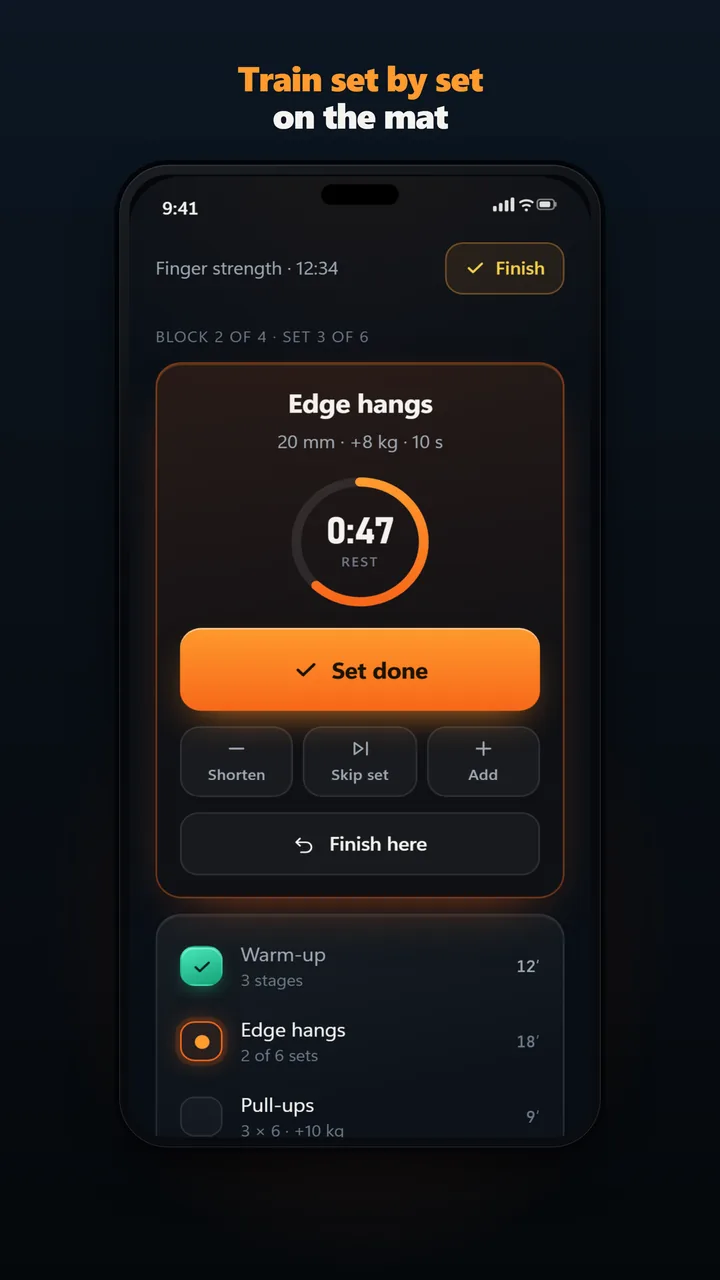
Log sets, edge width and added load as you go. The rest timer starts when you tick off a set, and the hang timer counts the seconds on the edge. Every climb gets a grade and a result: flash, onsight, redpoint, top, fall or attempt.
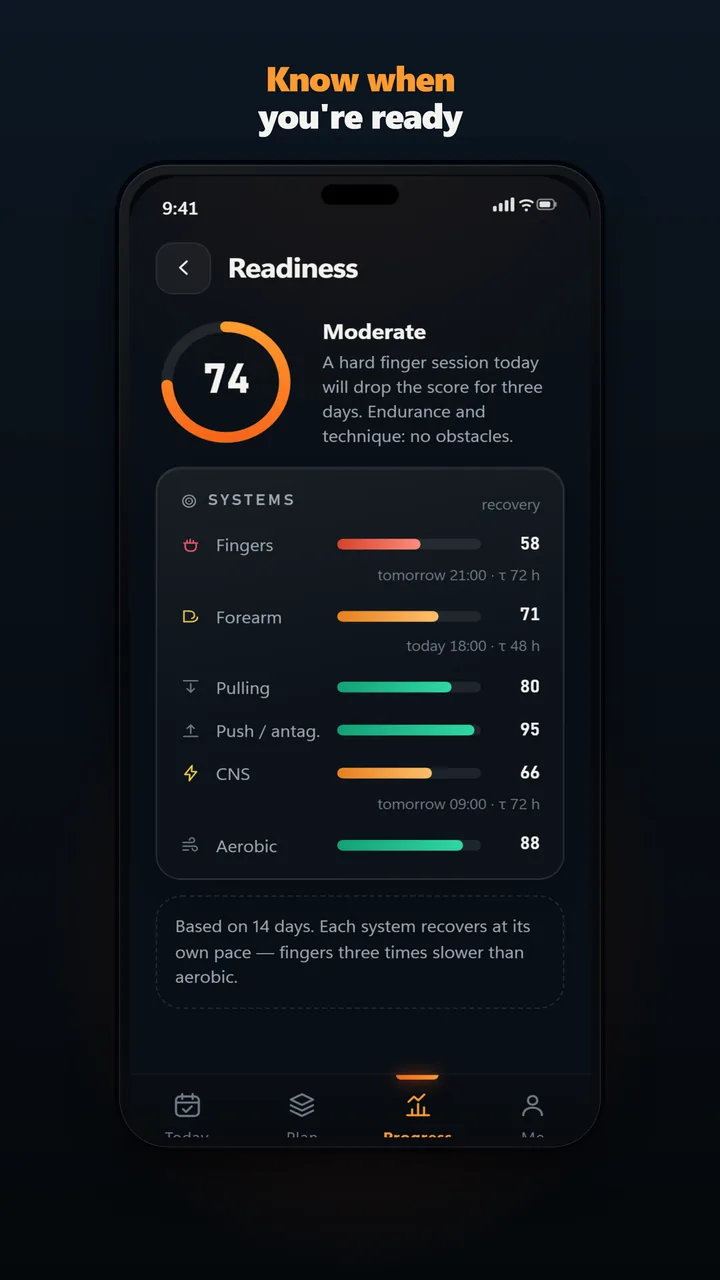
Fingers, forearms, back, shoulders, nervous system and aerobic fitness, calculated from your logged sessions and shown on the home screen. It builds up over your first two weeks, no watch needed. It never blocks a session. How the readiness score works.
There are three ways to get a week. You plan it yourself, you let the app lay it out from the days you can train, your equipment and your goal, or your coach plans it for you. Each day in the week view shows the session title and its status: planned, today, done or partly done.
During the session you tick sets as you go. The rest timer starts on its own when you tick a set. Hangboard work has its own interval timer for hangs and short rests, and the log keeps sets, reps, hang time, rest, edge width and added load.
From what you log, the app tracks six areas: fingers, forearm endurance, pulling, pushing, the nervous system and aerobic fitness. Intensity comes from how hard the session felt (RPE) and, on loaded exercises, from the load compared with your best. Volume is the share of planned sets you actually did. There is no watch, heart-rate strap or sleep data. Readiness sits on the home screen and builds up over your first two weeks of logged sessions. It tells you how loaded each area is; the decision to train stays with you.
Sessions save without a connection and sync when you are back online, in English or Polish.
ClimbingDad is a platform for climbing coaches and the climbers they train. Coaches plan in a web panel; their athletes train and log in the app.
strength training for climbers
What the gym does for climbing and what hasn't been studied.
How to build finger strength before you start hangboard workouts.
The app is free. You only pay if you train with a coach, at a price the coach sets.
You can plan the week yourself, let the app lay it out from your days, equipment and goal, or have your coach plan it.
No. Many climbers use the app only to log climbing and check readiness. If you train fingers, it times hangs and rests and records edge width and added load. See hangboard training.
Yes. Readiness comes only from the sessions you log: how hard they felt, the load and the sets you did. It builds up over your first two weeks.
The app logs what you do and shows how loaded your fingers are, but it does not diagnose or forbid anything. For the medical side, read the guide to the A2 pulley injury and follow your physiotherapist.
Yes. Sessions save without a connection and sync when you are back online. The app is in English and Polish.
It plans the week, times sets and rests, and logs every climb. It does not hold board problems or crag guidebooks, and it does not connect to a force sensor. See the best climbing apps compared.
The app is free. You only pay if you train with a coach, at a price the coach sets.